

Sales Professionals
Send the contract before you leave the room. Sign from their phone, deal closed.
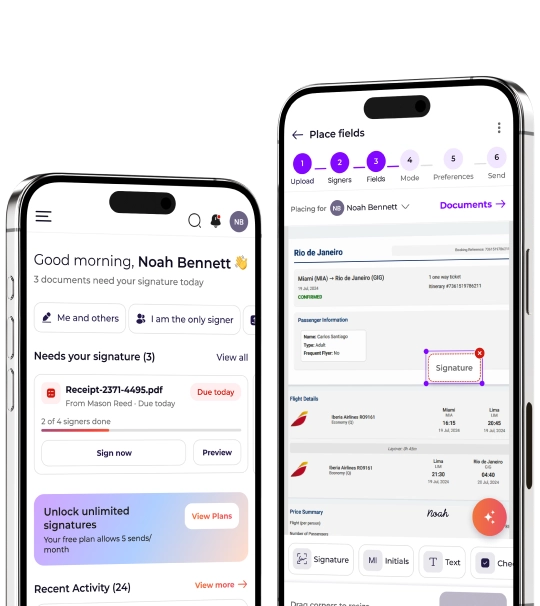
The Inkfree mobile app for iOS and Android lets you send documents for signature, sign them yourself, and track signing status from your phone or tablet.
Review, approve, and sign any document instantly with the same legal validity as desktop.
Upload, configure, and send for signature, start to finish, from your phone.
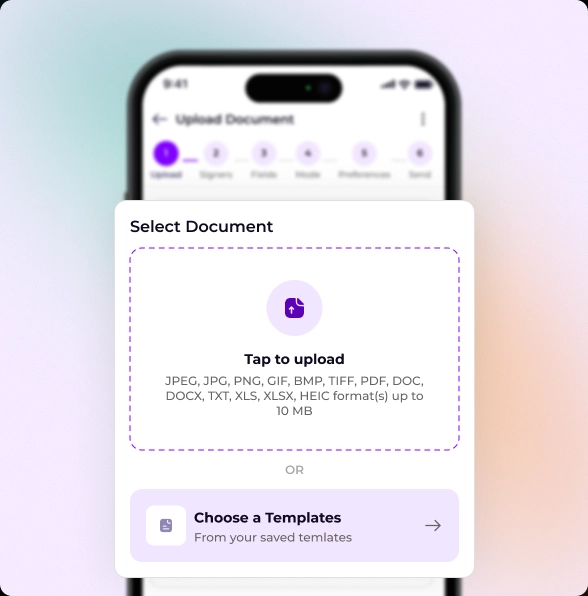
Upload a document from your device or choose a pre-configured template to get started faster.
Add recipients, assign roles, and define the signing sequence for every signer.
Drag and drop signature, initials, text, checkbox, and date fields onto the document.
Select Basic or Certified eSignatures based on your security and compliance.
Set reminders, expiration dates, signer permissions, and notification preferences.
Customize the email message, schedule delivery if needed, and send for signature.
Your full signing workflow, now in your pocket.
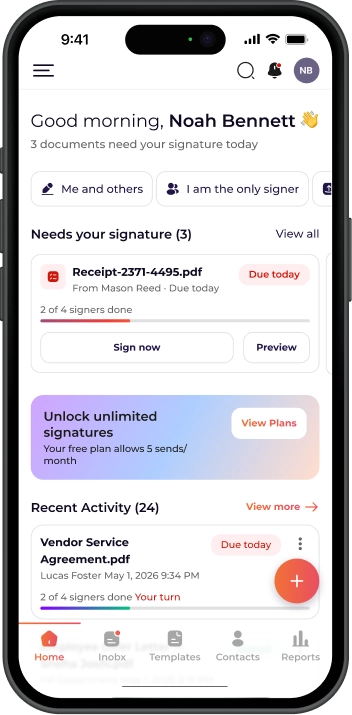
Review and sign any agreement the moment it lands in your inbox. Draw your signature with a fingertip or apply a saved style in one tap, with no desk, no printer, no delay.
Sign anywhere, the second it matters.
Start any signing workflow in seconds. Upload a PDF or Office document, or choose a saved template to prepare agreements wherever you are.
Any document, signed and sent in seconds.
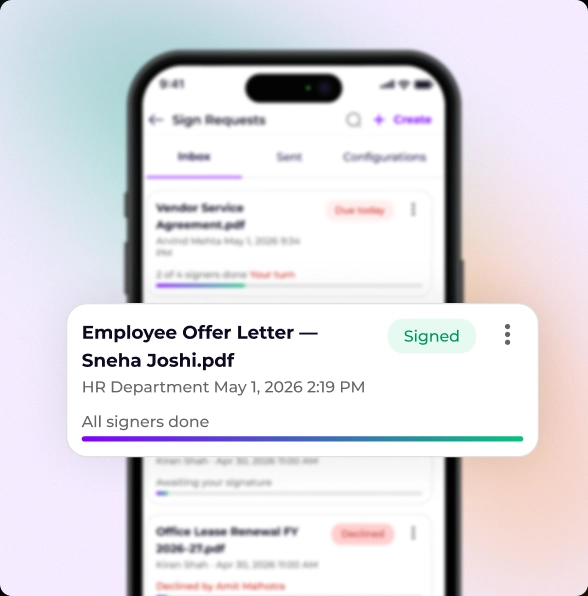
Get notified the moment someone opens, signs, or declines a document. No need to keep checking back, Inkfree tells you the second something changes.
Stay informed without lifting a finger.
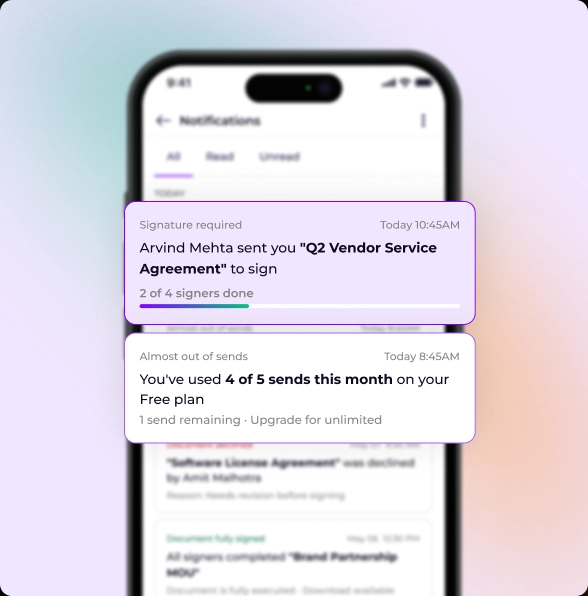
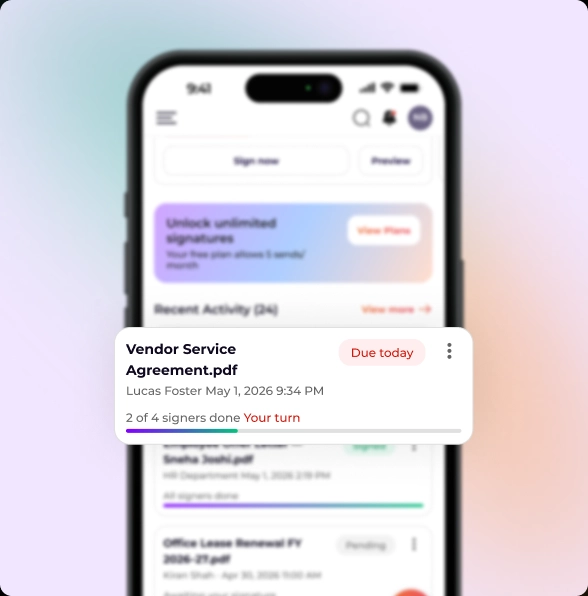
See who's signed, who's next, and what's outstanding from a single dashboard. Send a reminder with one tap, right from your pocket.
Your full pipeline, always one tap away.
One tap, any device, zero downloads, that's the entire signing experience for recipients.

Smartphone
Sign on any screen size, no downloads needed.

Tablet
Review full pages and sign on a larger touch surface.

Laptop & Desktop
Full-screen clarity for detailed review and fast execution.

Any Browser
Works in Chrome, Safari, Firefox, and Edge, no installs.

No App Required
Recipients sign directly in their mobile browser, nothing to download.
No Account Needed
Zero friction, tap the link and sign in under 60 seconds.
Fully Responsive Layout
Adapts automatically to any screen size, orientation, and resolution.
Guided Signing Flow
Step-by-step field completion, nothing is missed, nothing out of order.
Touch-Optimized Interface
Signature fields and action buttons sized accurately for finger taps.
Works in All Browsers
Safari, Chrome, Firefox, Edge, all operating systems supported.
Instant Signed Copy Delivery
Executed document automatically delivered to all parties on completion.
Legally Binding on Any Device
Same legal validity (ESIGN Act, UETA, eIDAS) regardless of device.
Six roles where mobile signing turns a delay into a closed deal.
Send the contract before you leave the room. Sign from their phone, deal closed.

Send the offer letter on the spot, or hand your tablet to the buyer at peak interest.

Select your offer template and send it before the candidate leaves the building.

Create a change order and get it signed on site, no office, no delay.

A high-value contract needs your signature before end of day. You are between meetings. Open Inkfree, review the document in full, sign it in seconds, and keep your day moving.

Patient consent forms, care agreements, and clinical sign-offs do not need to wait for paper. Capture signatures digitally on your mobile device at the point of care, securely and compliantly.
Every document is encrypted, legally valid, and compliant anywhere in the world.

Every document encrypted in transit and at rest.

Legally valid in the US, EU, and 180+ countries.

Every action logged and included in the Certificate of Completion.

Secure account access with 2FA enforced for all users.

Signatures recognized and enforceable worldwide.

Documents archived securely and accessible at any time.

Yes. The app is free on the App Store and Google Play. Your Inkfree subscription covers full mobile access, no additional charges. Download, log in, and start signing immediately.
No. Recipients get a secure link by email and sign directly in their mobile browser, fully responsive, no app download, no account creation.
Almost everything. Sending, signing, tracking, templates, and your document archive are all fully available on mobile. A few advanced admin configurations are best handled on desktop.
Yes. Mobile signatures carry the same legal validity as desktop, backed by a full audit trail and compliant with the ESIGN Act, UETA, and eIDAS.
An internet connection is required to send, receive, and access documents. A stable Wi-Fi or mobile connection is recommended for larger files.
Inkfree's responsive interface works across most devices and browsers. For the best experience, Inkfree recommends an up-to-date version of Safari, Chrome, or Firefox.
Sign, send, and track every agreement from your pocket, the full Inkfree platform, on iPhone and Android.